On air. On time.
On one server.
SONE runs your ticker, graphics, playout, scheduling, recording, media library, transcoding, loudness and health wall from one Windows service and one web UI, under one signed licence: on one server, or on several servers with a role each when you need it. Built by people who have spent decades in master control.
The SONE family
Eleven products that already speak the same language.
Same sign-in, same workspaces, same TAKE button. Start with the one you need; the others are a licence key away, not a new installation.
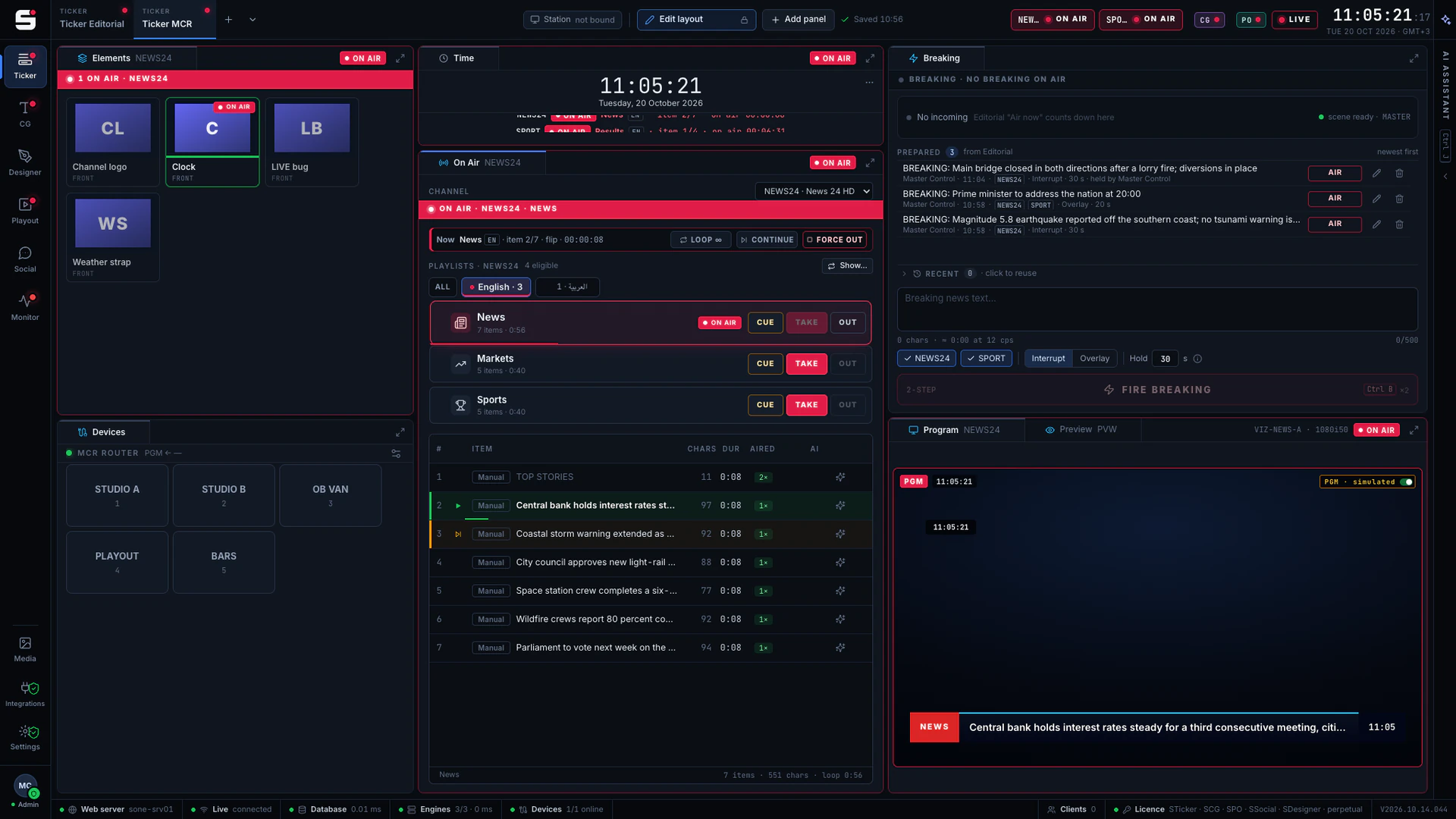
STicker
Ticker & crawl
Newsroom → Ticker. iNEWS and agency wires feed it, editorial builds it, MCR airs it on your existing graphics engines.
Explore STickerSCG
Character generator
SONE render engine or Viz Engine: layered graphics, versioned templates and the iNEWS newsroom rundown, keyed or burned into SPO.
Explore SCG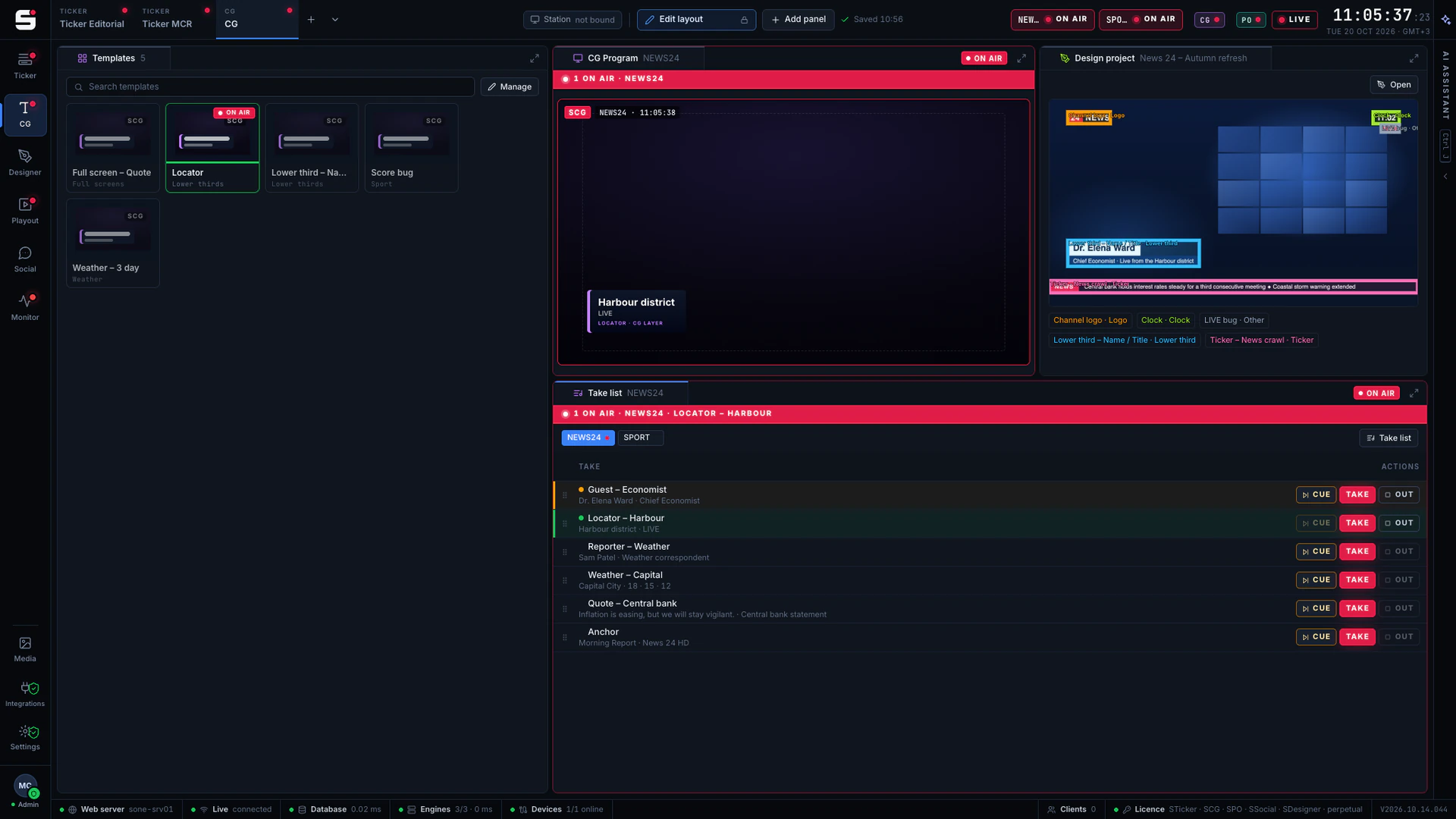
SDesigner
AI-assisted design
Turn a mockup or a screenshot into a layered project and publish it to SCG as a template. People approve; AI never airs.
Explore SDesigner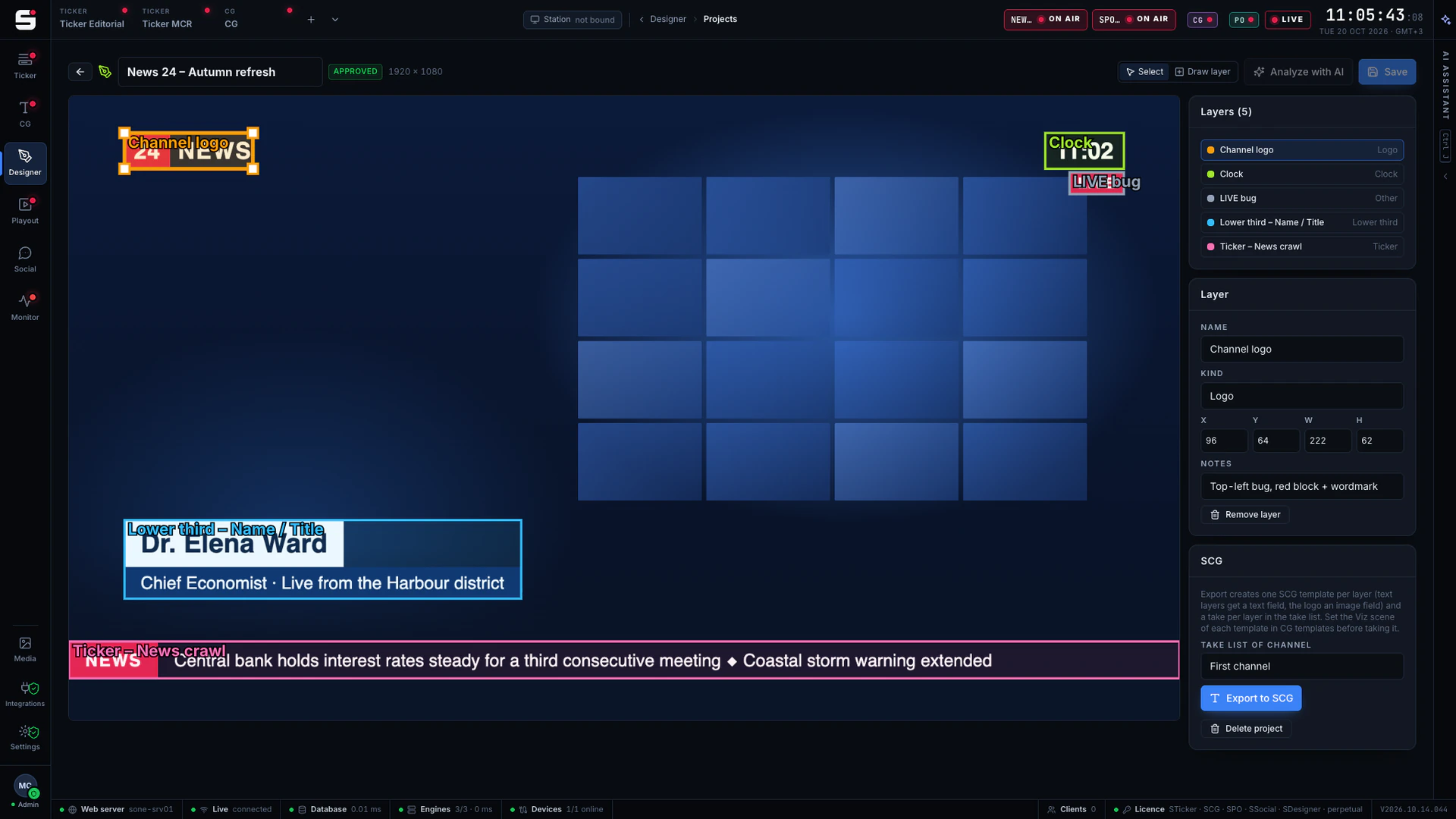
SPO
Playout server
A frame-accurate playout engine with CG burn-in, embedded audio and a preview in any browser, fed by STraffic.
Explore SPO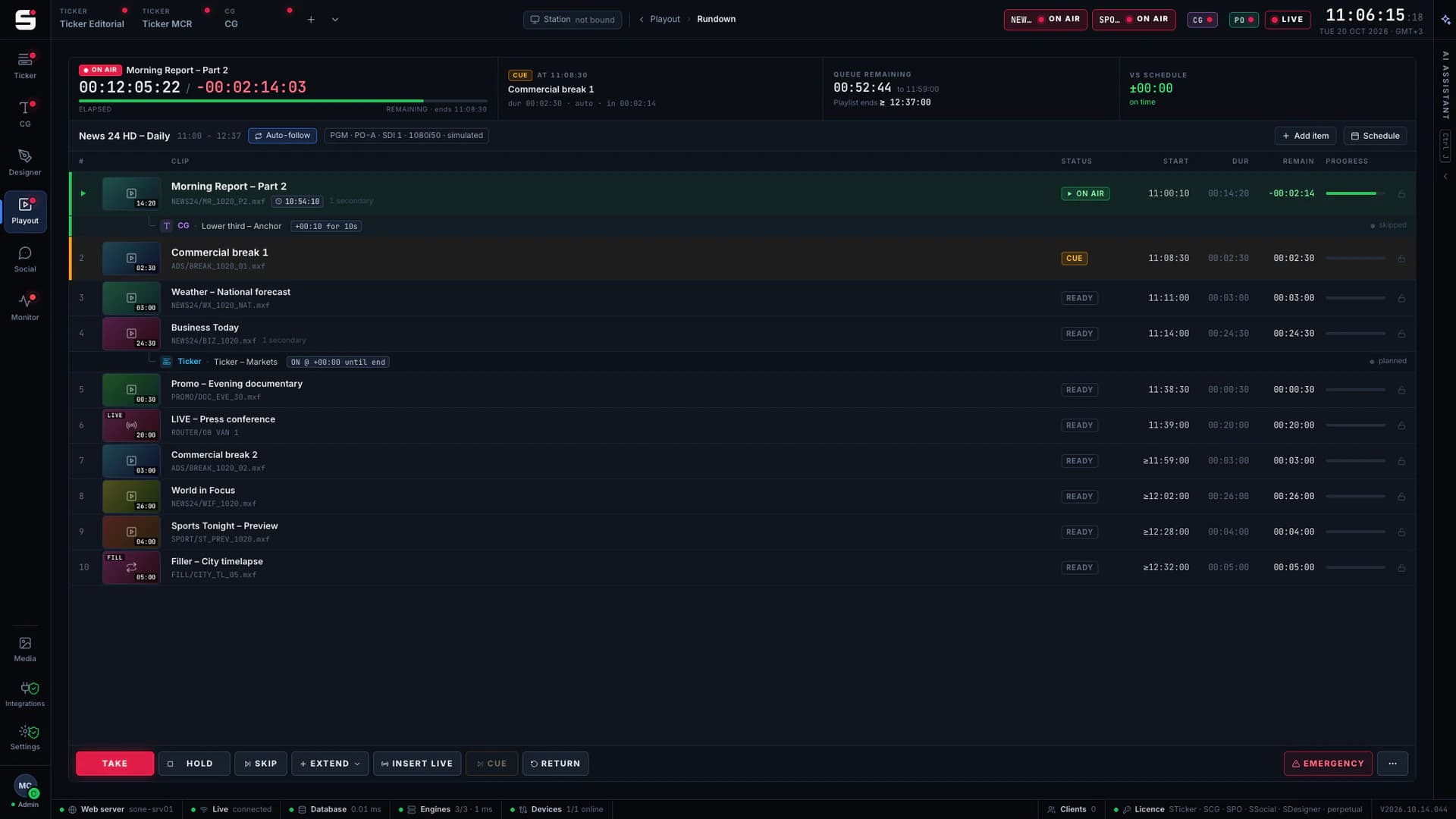
- Included
SMonitor
Health wall
A NOC-style wall for the whole chain. Included with every SONE install.
Explore SMonitor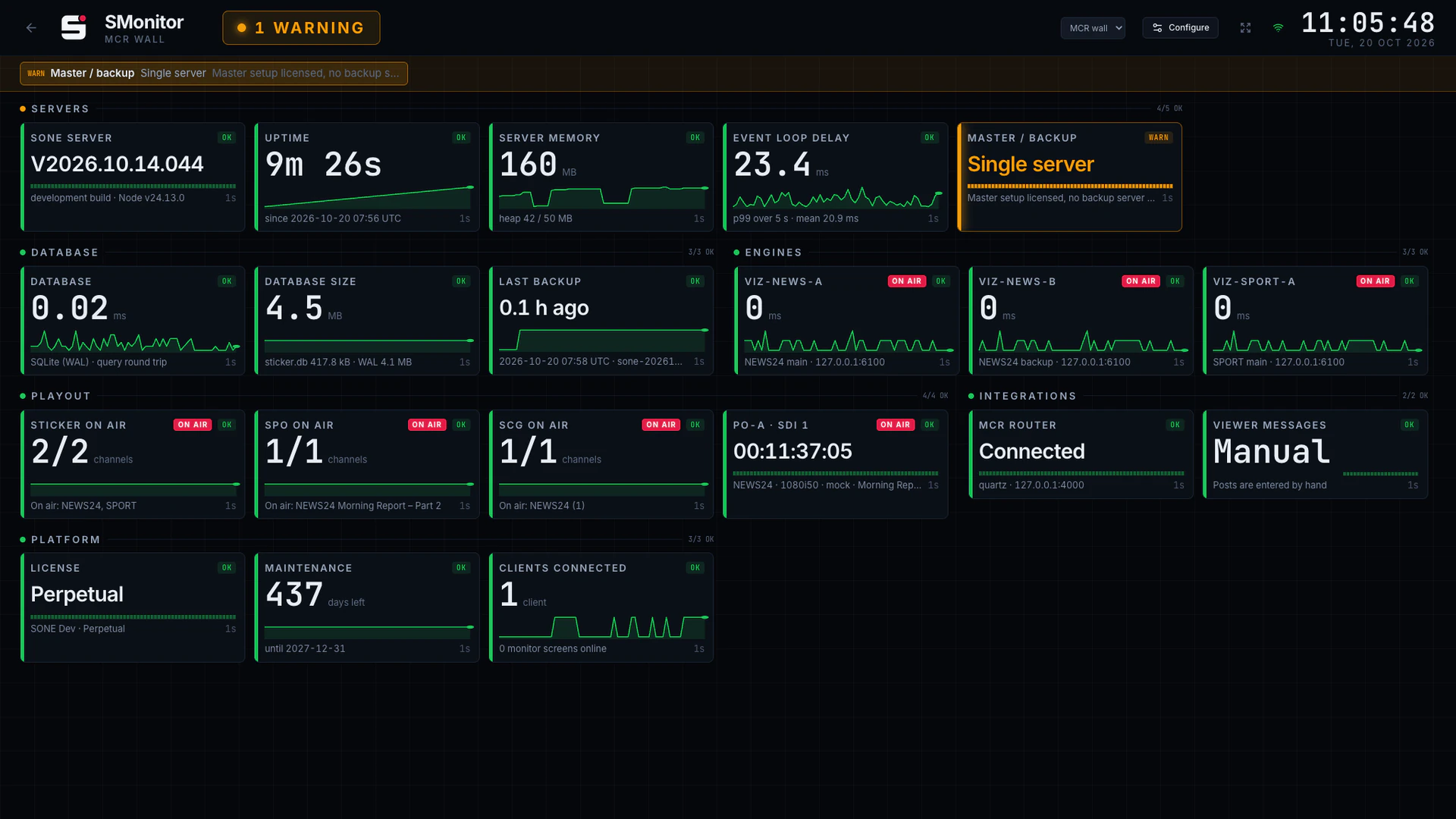
- Coming soon
SSocial
Social to screen
Moderate viewer posts and social feeds, then send them to the ticker or to SCG.
Explore SSocial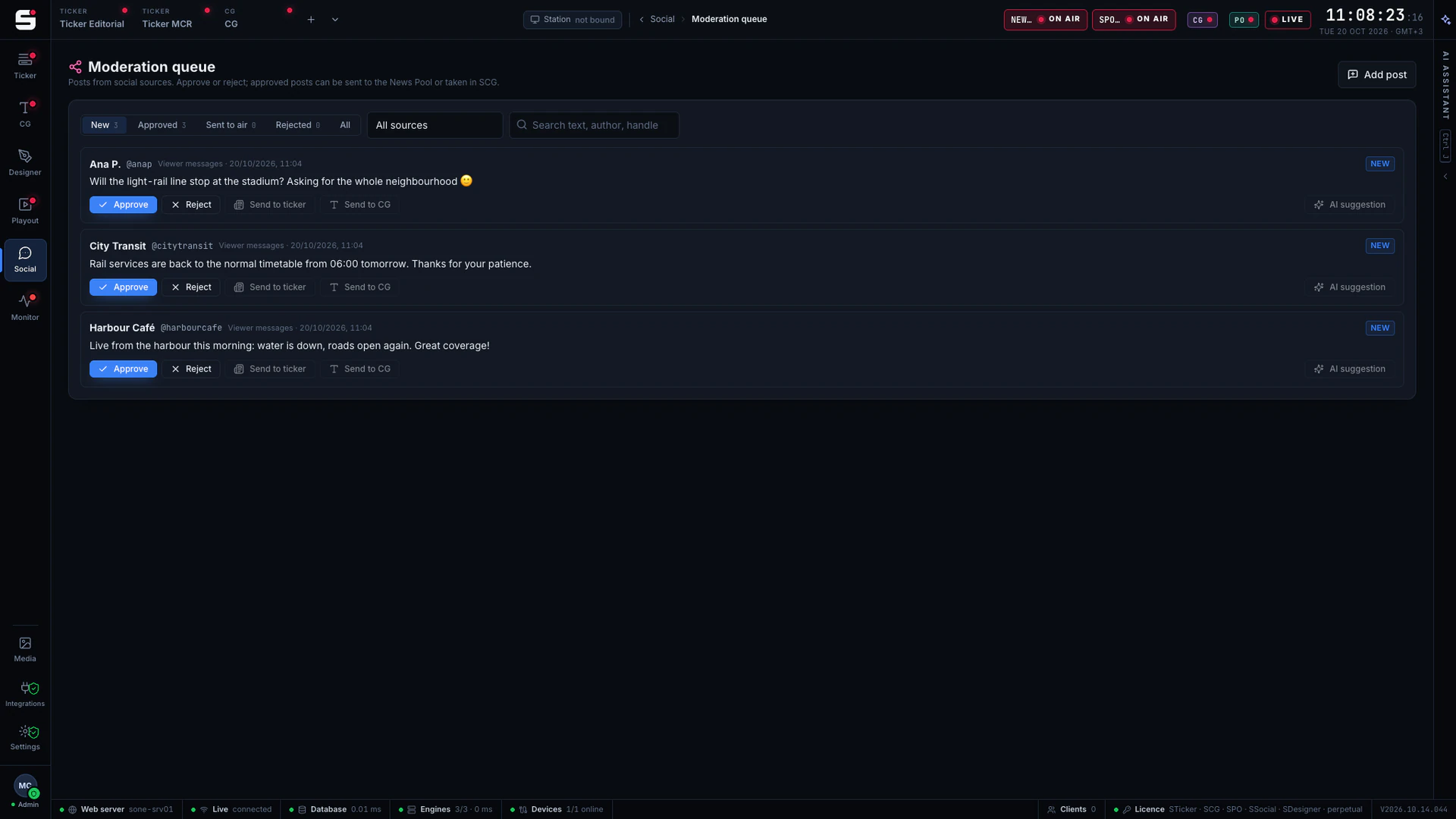
- Early access
STraffic
Scheduling and traffic
Plan every channel’s day to the frame, then publish it straight to the SPO playlist.
Explore STraffic - Early access
SAudio
Broadcast audio
EBU R128 loudness on every playout output: automatic level, a compliance log, EQ and a true-peak limiter.
Explore SAudio - Early access
SIngest
Recording and ingest
Record SDI inputs and the live broadcast in your house format, and bring files in through watch folders that check them first.
Explore SIngest - Early access
SMAM
Media asset management
Browse, preview, tag and trim every media file on the platform, then send it to playout, the programme library or social.
Explore SMAM - Early access
STranscode
Transcoding
Turn any file into your house format, and make the proxies and delivery versions, on one server or on many.
Explore STranscode
How it works
Design. Air. Monitor.
One chain from the planned day and the first sketch to the health wall, with a person in charge at every step.
- 01
Design
Import a mockup or a screenshot into SDesigner. SONE AI proposes the layers; your designers refine and approve them, then publish the result to SCG as a template.
- 02
Air
STraffic plans the day and publishes it to SPO. iNEWS queues and agency wires fill the News Pool and the CG newsroom rundown; STicker, SCG and SPO take it to air with CUE, TAKE and OUT, main and backup in step.
- 03
Monitor
SMonitor watches servers, engines, playout outputs and loudness on a wall screen, and hands the same status to your NMS.
Editorial AI
AI does the desk work. Editors decide.
SONE AI sits next to every editor in the News Pool and the playlists. It suggests, the editor approves, and nothing reaches air on its own.
Runs on SONE AI credits included with the licence: no API key to set up. AI never goes to air directly.
Translation
Between the languages your newsroom airs, with names, numbers and brands kept intact.
Sense check
Spelling, grammar, typos, numbers that do not add up and your style guide, before the item airs.
Fit to length
Long items shortened to ticker length without losing the meaning.
Headlines
A ticker headline suggested from a long newsroom story.
The platform
One server. One licence. Every product inside.
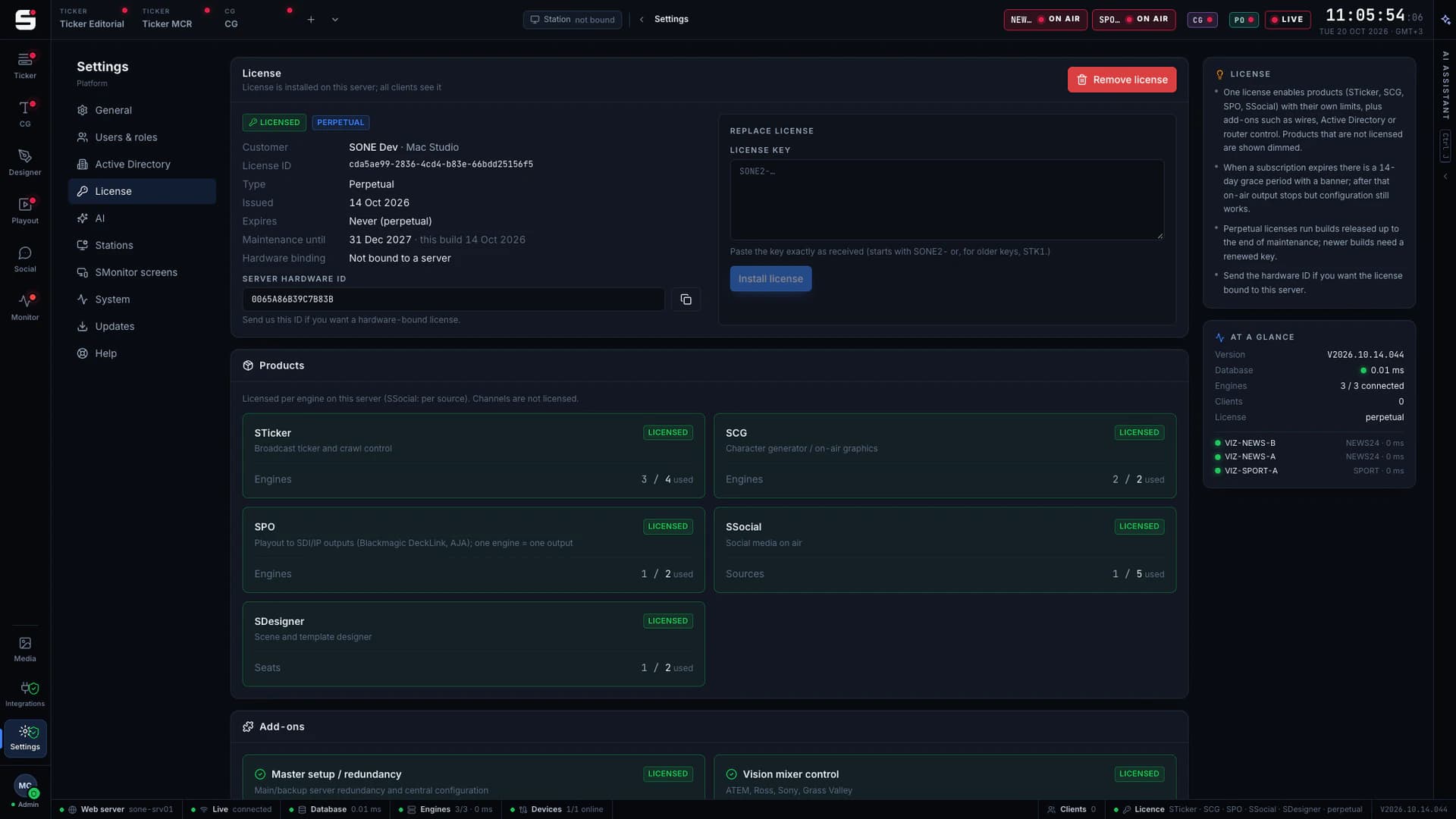
SONE is not a bundle of separate applications. It is one platform with one database, one sign-in and one signed licence that switches products and add-ons on.
One licence
Every product and add-on in a single signed key.
Licensed per engine, per output or per seat, STraffic per planned channel, SIngest per record or ingest channel and STranscode per concurrent job. Upgrading is a new key, never a reinstall.
One setup, any role
A single setup.exe installs the SONE service and web UI, as an all-in-one server or as an application, playout or graphics machine.
Dockable workspaces
Personal and shared layouts for MCR, editorial, CG, playout and planning desks. Lock them for the night shift.
Directory sign-in
Active Directory over LDAPS, roles from AD groups, step-up verification for settings and a full audit log.
Updates on your terms
SONE Updater applies a signed release now, when off air or at a scheduled time, and rolls back if needed.
SONE Cloud
Customer portal for licences, releases and support. Servers check their licence with it daily, or at once with Check now.
SONE AI credits
Translate, check, fit to length and design with credits included in the licence. No API key to set up.
Topologies
One server. Or as many as you need.
Start on a single Windows server. When the channel needs it, give playout and graphics their own machines and add backups, with the same software and the same licence model.
Single server
Everything on one Windows machine.
- One setup.exe installs the SONE service, the web UI and the database
- SPO plays out through a DeckLink or AJA card in the same machine
- STicker and SCG drive your Viz Engines over the network
- SMonitor included from day one
Split
Each job on its own machine.
- SPO on a dedicated playout server with its own DeckLink or AJA card, media on shared storage
- SCG on a SONE graphics machine or on Viz Engine servers, STicker on Viz Engine, each with its own video card
- Graphics reach air as fill & key through your keyer or vision mixer, or burned straight into the SPO output
- One central console for every SONE server, with settings per node
- Database on a separate server (PostgreSQL) Roadmap
Redundant
A backup for every path to air.
- SPO hot-standby pair on shared storage: the backup follows the rundown and takes over from the same position
- Main and backup Viz Engine per channel; every TAKE goes to both
- Nightly database backups, checked by SMonitor
- SMonitor watches servers, engines, outputs, backups and the standby pair
- Main and backup SONE server Roadmap
- Database replica Roadmap
- control and data
- watched by SMonitor
- roadmap
Built for the control room
Designed by people who have pressed TAKE at three in the morning.
Every SONE screen follows the rules of master control: what is on air is unmistakable, what is next is one key away, and nothing moves while you are about to click it.
TAKE, CUE and OUT
The verbs master control already uses, in the same place on every screen and every product.
Graceful transitions
A TAKE waits for the running item to finish its text. Only an emergency cuts mid-sentence.
Nothing shifts on air
On-air panels keep a fixed layout. Rows never jump under an operator’s cursor when data updates.
Frame accuracy
Playout, secondaries and as-run are timed in frames, not in “about a second”.
Coastal storm warning extended as heavy rain moves north overnight
Finishing text · then CUE
Main
VIZ-A
Backup
VIZ-B
Router
PGM
Works with your control room
Fits the equipment you already trust.
No forklift upgrade: SONE talks to the engines, cards, routers and newsroom systems already in your racks.
Windows Server
One service, one setup.exe
Vizrt Viz Engine
Ticker Service and Viz commands
Blackmagic DeckLink
SDI playout outputs and record inputs
AJA
SDI playout outputs
BXF
Schedule import and as-run
EBU R128
Loudness measurement and log
XDCAM · ProRes · DNxHD
Record, ingest and transcode formats
Avid iNEWS
NSML over FTP or folder
RSS / Atom wires
Any agency feed, plus GNews
Evertz Quartz
Router control
Active Directory
LDAPS sign-in and roles
SNMP
SMonitor devices, next
See it running on your own engines.
Book a walkthrough with people who have run master control. We will show SONE with your scenes, your playout format and your newsroom feeds.