The ticker your control room has been waiting for.
STicker drives your existing graphics infrastructure: Vizrt Viz Engine and other CG engines through pluggable output drivers, and your Viz Ticker scenes keep working as they are. Stories arrive by themselves from Avid iNEWS and the agency wires; editors build playlists from a live News Pool with AI at their side; master control takes them to air with a graceful TAKE that never cuts a story mid-sentence.
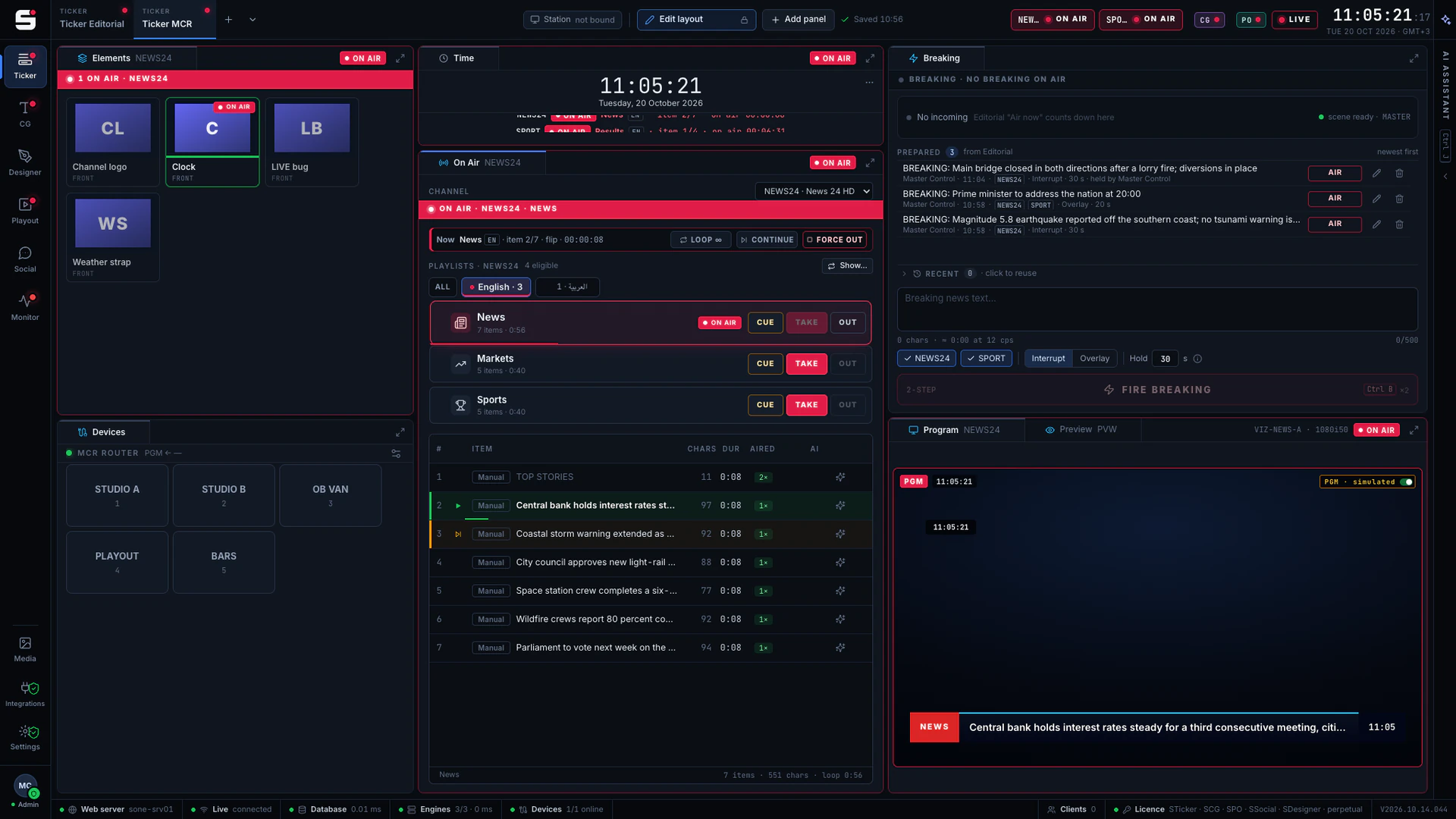
What STicker does
Made for the people who run the channel.
- 01
Your graphics, as they are
Pluggable output drivers drive Vizrt Viz Engine and other CG engines. Existing Viz Ticker master scenes run through the Ticker Service: no Media Sequencer, no scene rebuild, no new graphics package.
- 02
News Pool with wires
Agency and publisher feeds (RSS / Atom), GNews and Avid iNEWS queues flow into one searchable pool around the clock, with source filters and pinnable tabs.
- 03
Playlists and shows
Per channel and category, in several content languages, with timed items, loops and scheduled sequences.
- 04
Breaking News
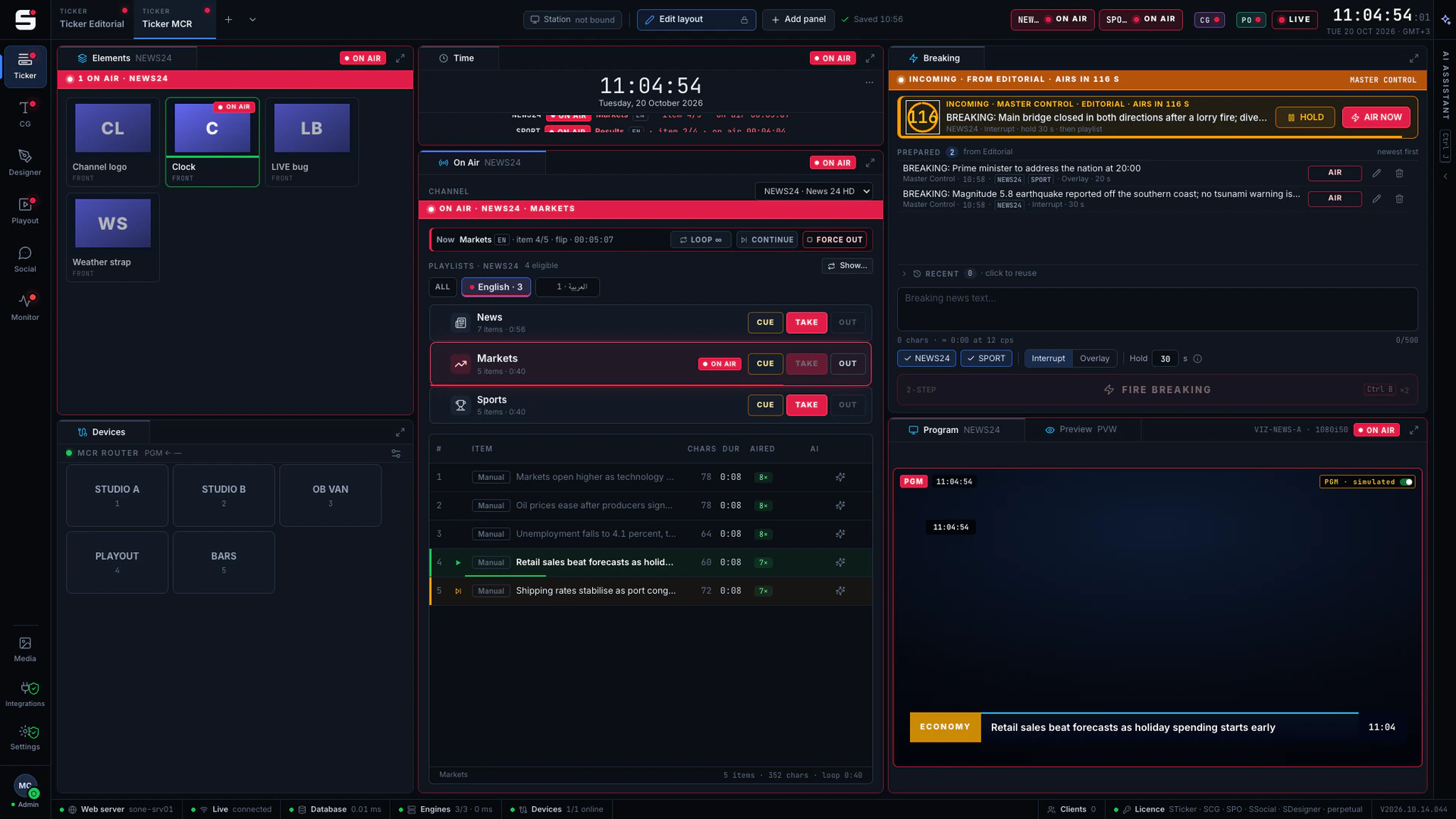
Editorial prepares the queue, MCR fires it. A visible countdown with HOLD and AIR NOW, as an interrupt or an overlay.
- 05
MCR and Editorial workspaces
Dockable panels and shared presets. Operators see what is on air; editors see what is next.
- 06
Graceful TAKE and OUT
The item on screen always finishes its text. Only an emergency cut stops a story mid-crawl.
- 07
RTL and every script
Arabic, Kurdish Sorani and Kurmanji next to Latin playlists, with the text direction set per playlist.
- 08
Multi-channel, main + backup
Each channel fans out to its main and backup engine at once. Add channels freely; licences count engines.
- 09
Devices on the on-air screen
Evertz Quartz routers and raw TCP devices sit next to the ticker controls, with confirmation where it matters.
Newsroom integration
Newsroom → Ticker, with nothing retyped.
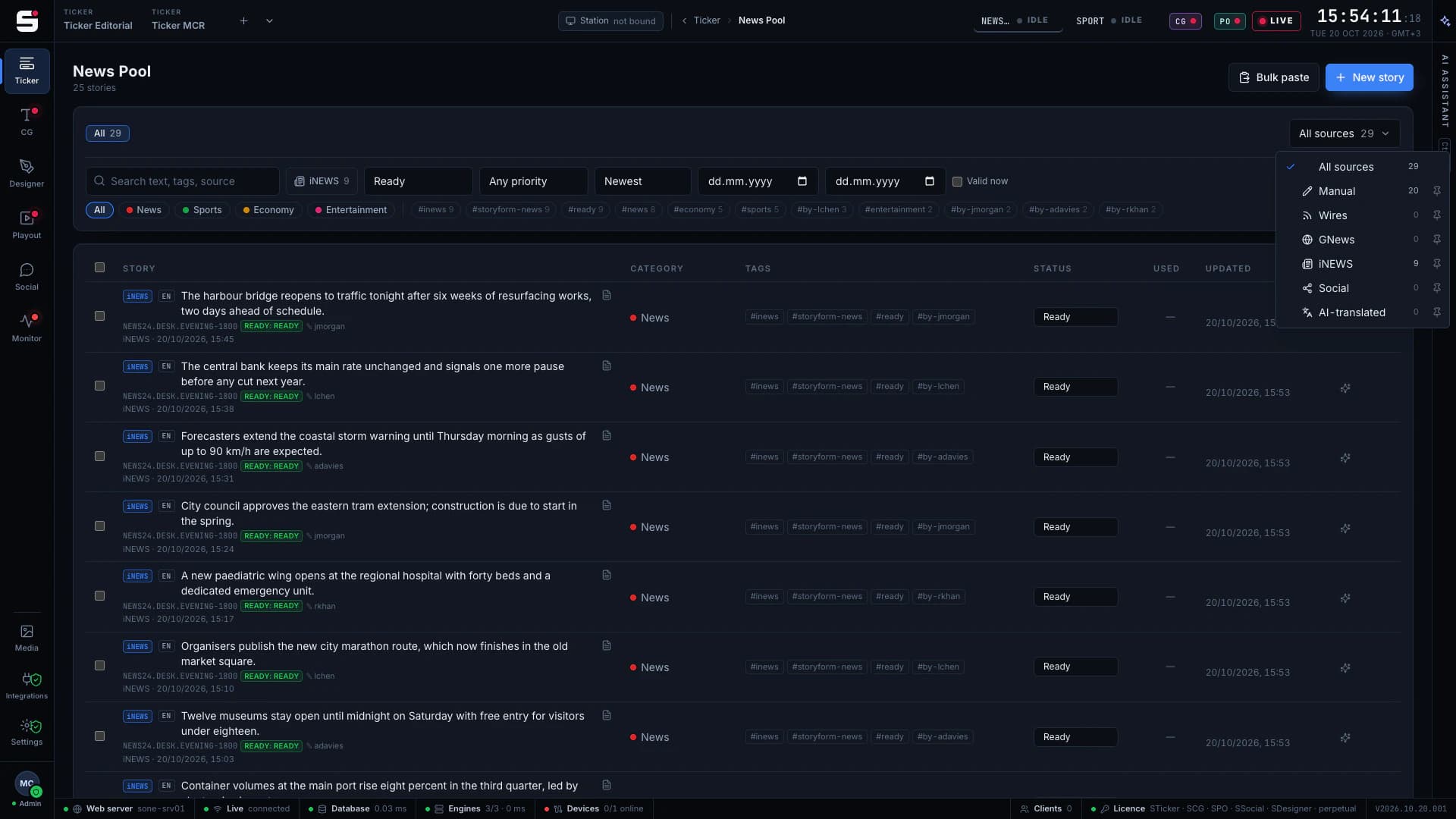
STicker reads Avid iNEWS queues straight into the News Pool as NSML, over FTP or from a watched export folder. Pick the queues from the iNEWS queue tree and the stories arrive with their queue, writer and status: no retyping, no copy and paste.
- Avid iNEWS over FTP or a watched folder (NSML)
- Queue tree picker; language, category and status per queue
- Stories keep their queue and writer attribution
- Source filter with counts and pinnable source tabs
- Edited stories update by themselves; nothing is written back to iNEWS
Wires
A News Pool that fills itself, around the clock.
Stories arrive automatically from the agencies and publishers you subscribe to. Each feed polls on its own schedule, tags its stories with the agency and lands them as draft or ready, so editors start from the news, not from a blank line.
- Any agency or publisher feed (RSS / Atom), plus GNews
- Built-in catalog of public news, sports, economy and culture feeds
- Scheduled polling, duplicates skipped
- Auto-tagged with the agency; draft or ready per source
- Editor preview with simulated crawl
Editorial AI
AI does the desk work. Editors decide.
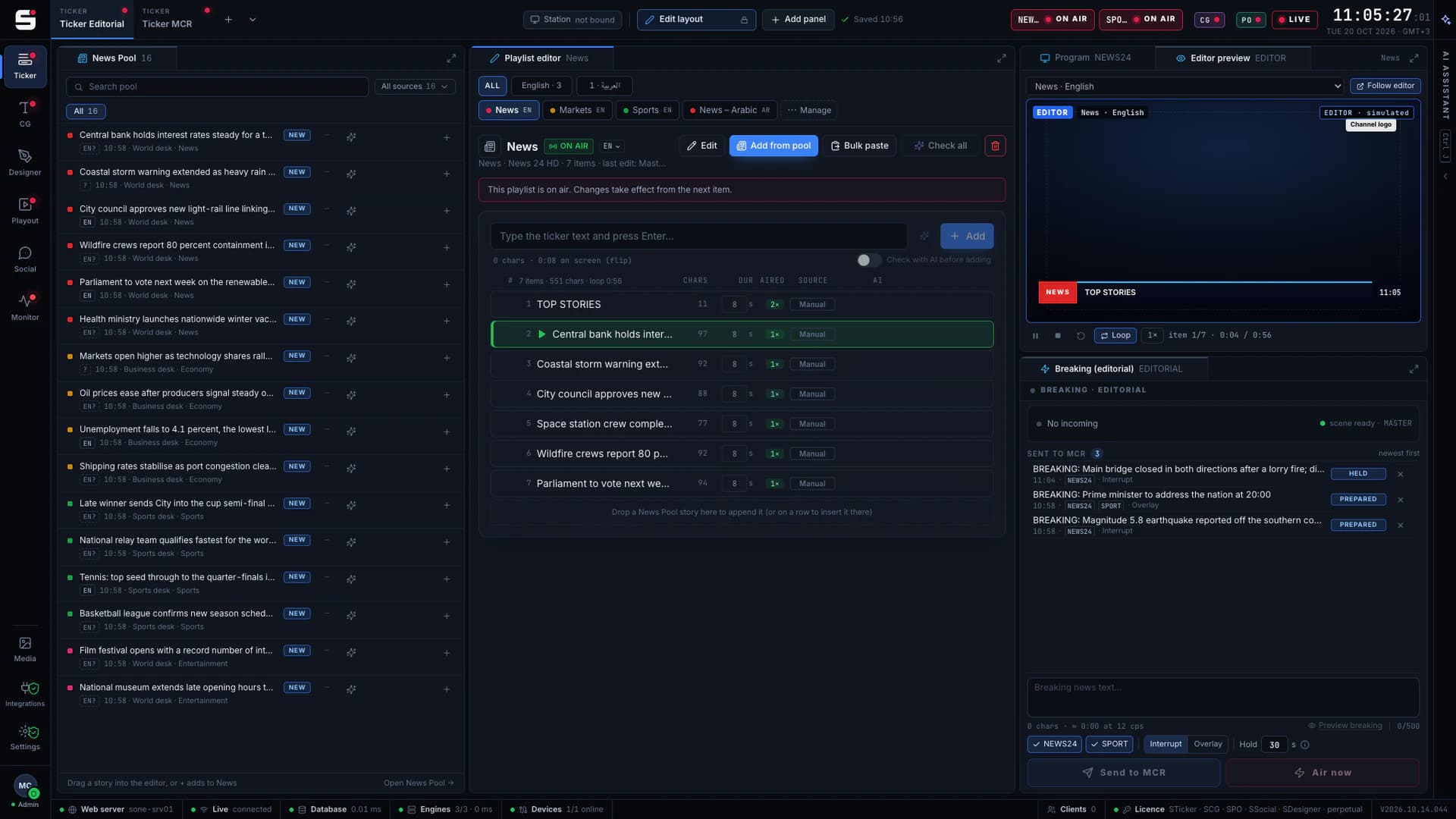
SONE AI translates between your newsroom’s languages, sense-checks a story before it airs, corrects grammar and typos, shortens long items to ticker length without losing the meaning and suggests headlines. Every result is a suggestion the editor approves; AI never puts anything on air. It runs on SONE AI credits included with the licence: no API key to set up.
- Translation between your newsroom’s languages
- Pre-air check: spelling, grammar, typos, numbers that do not add up, your style guide
- Fit to ticker length, keeping the meaning
- Headline suggestions from long stories
- A blocking finding holds the item off air until an editor confirms
Breaking News
Prepared, not improvised.
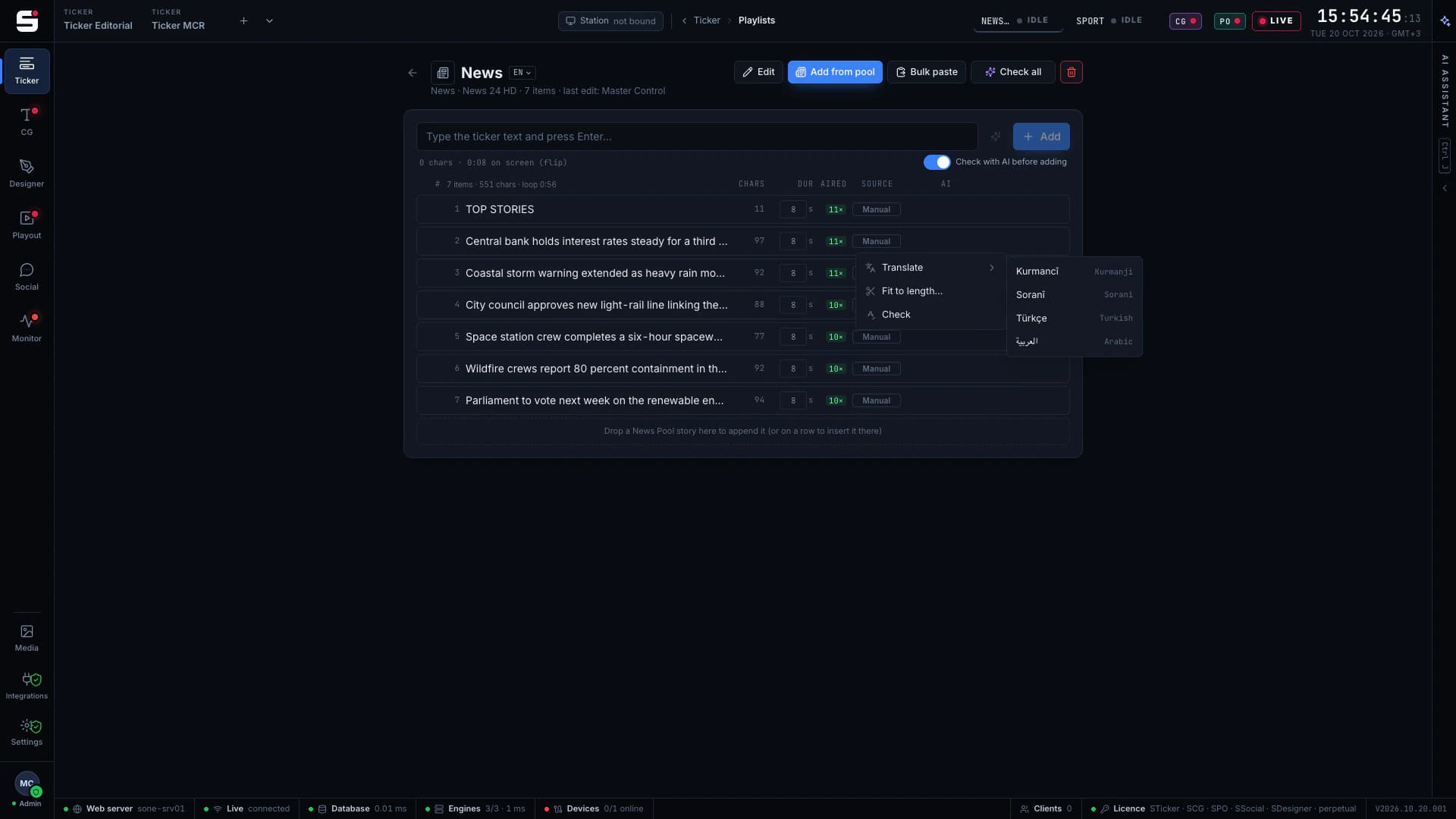
Editorial writes and checks the breaking text ahead of time. When it is time, MCR sees it arrive with a countdown, holds it or airs it now, on one channel or several.
- Prepared queue from Editorial to MCR
- Countdown with HOLD, AIR NOW and Cancel
- Interrupt or overlay, with a hold time
- Two-step FIRE so nothing airs by accident
At a glance
STicker specifications
Part of the SONE platform: one Windows service, one web UI, one signed licence.
- Graphics engines
- Vizrt Viz Engine (Ticker Service) and other CG engines via output drivers
- Newsroom
- Avid iNEWS (NSML over FTP or folder)
- Wires
- RSS / Atom agency feeds, GNews, source catalog
- Devices
- Evertz Quartz routers, raw TCP
- Redundancy
- Main + backup engine per channel
- Logging
- As-run log with CSV export
- Languages
- LTR and RTL content, per playlist
- AI
- Translate, check, fit, headline (SONE AI credits)
- Licensing
- Per engine; channels are free
The SONE family
Works even better together.
SCG
Character generator
SONE render engine or Viz Engine: layered graphics, versioned templates and the iNEWS newsroom rundown, keyed or burned into SPO.
Explore SCG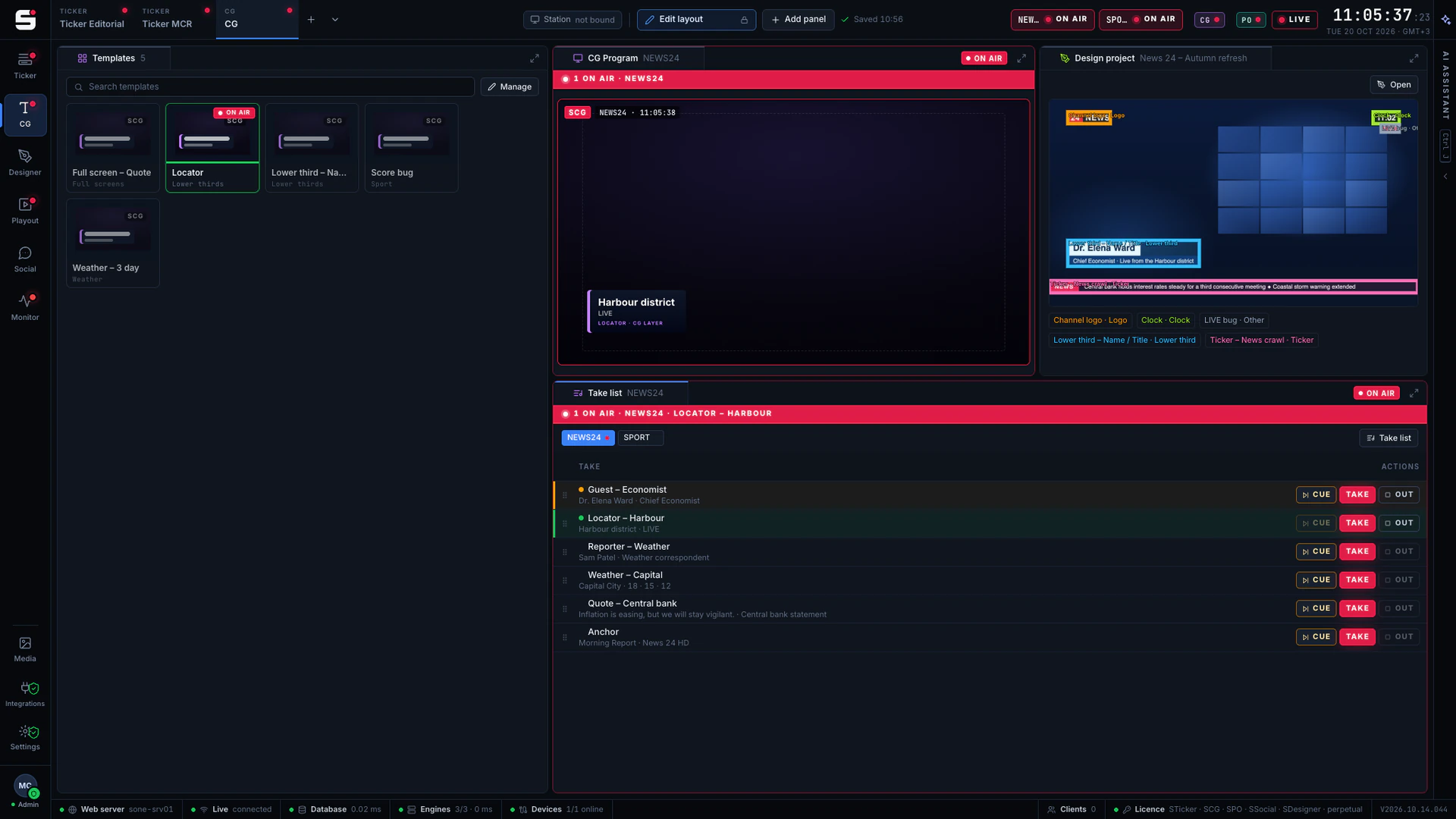
SDesigner
AI-assisted design
Turn a mockup or a screenshot into a layered project and publish it to SCG as a template. People approve; AI never airs.
Explore SDesigner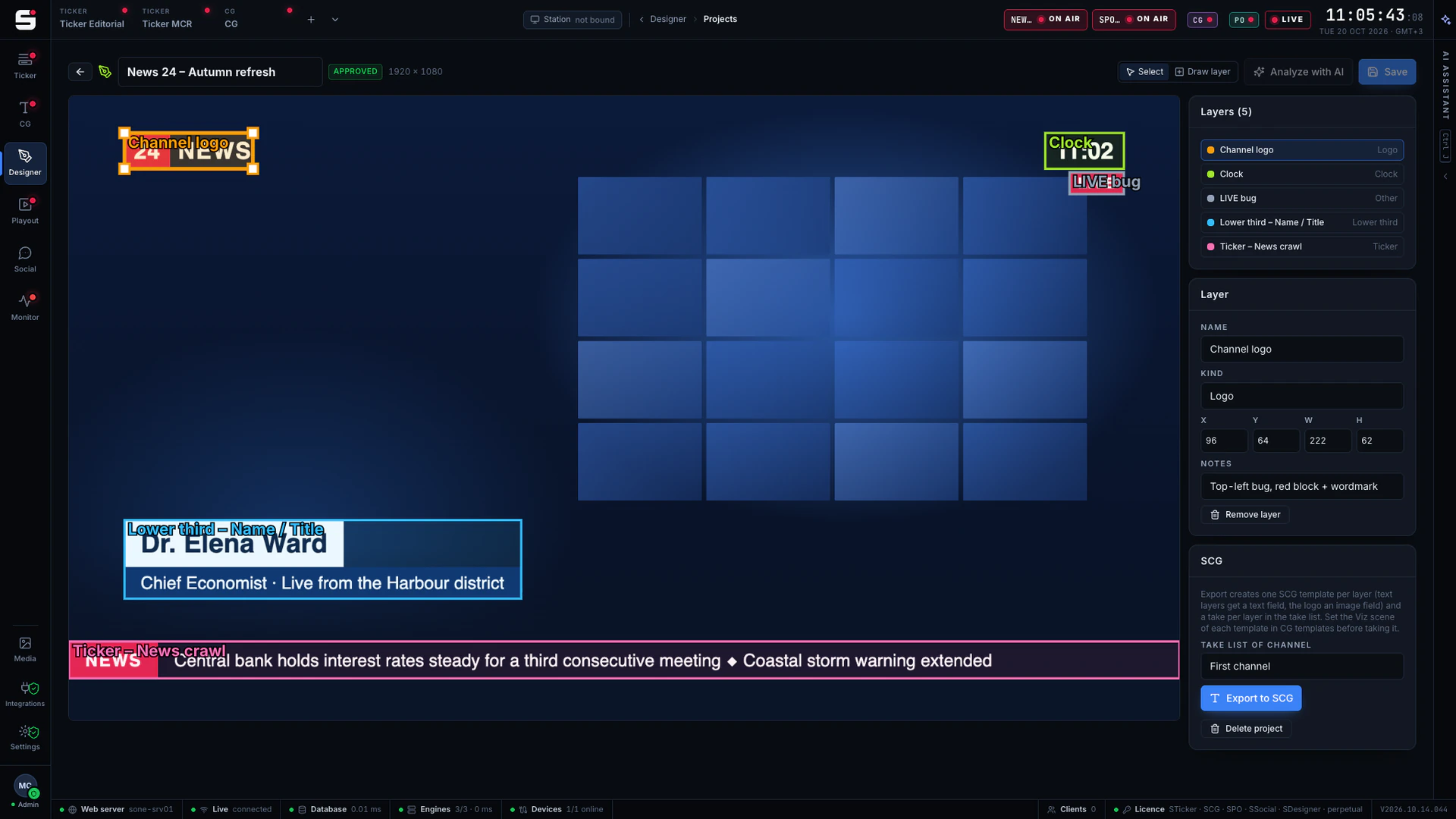
SPO
Playout server
A frame-accurate playout engine with CG burn-in, embedded audio and a preview in any browser, fed by STraffic.
Explore SPO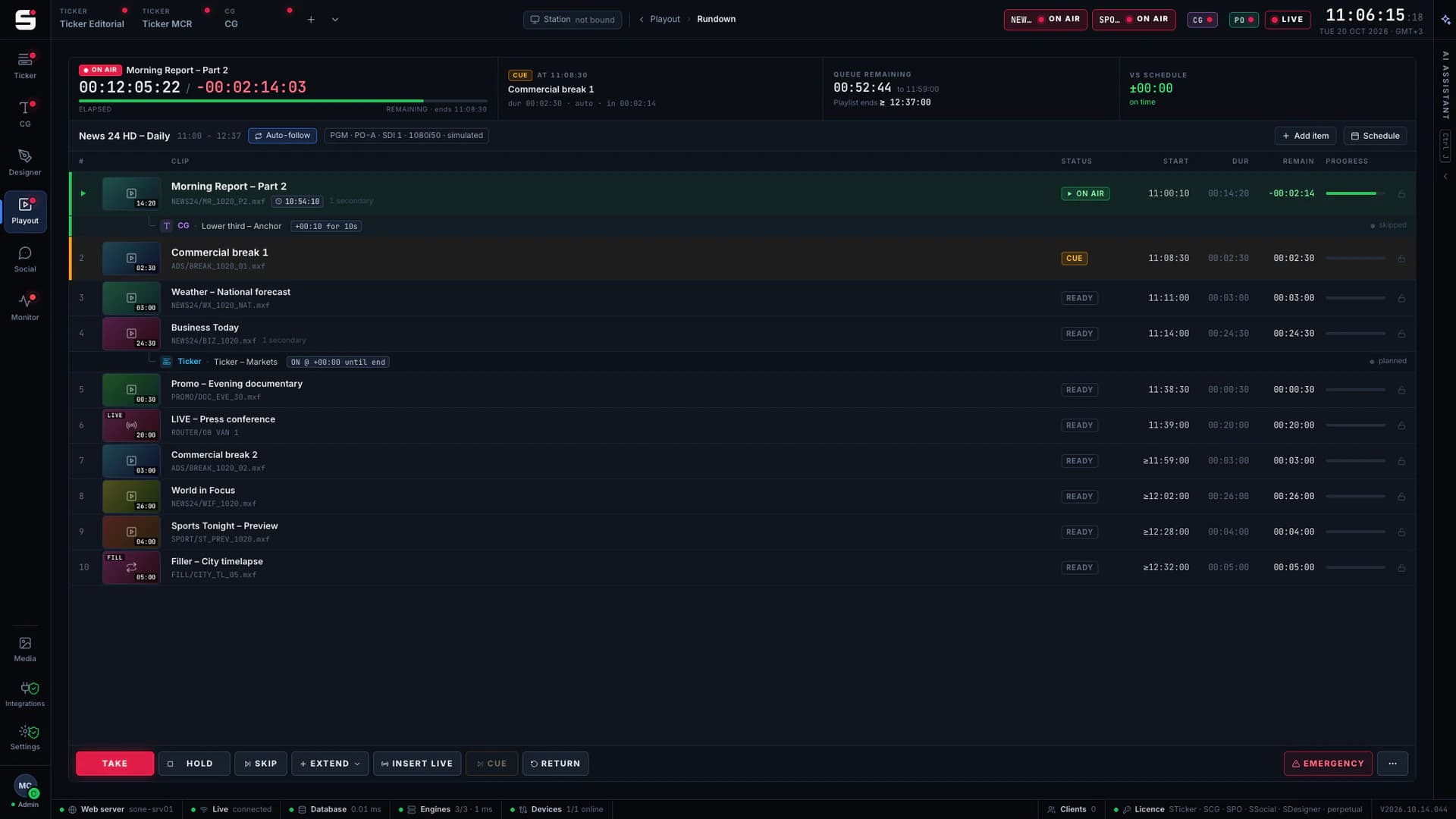
See STicker on your own engines.
Book a walkthrough with people who have run master control. We will show SONE with your scenes, your playout format and your newsroom feeds.