See the whole chain before it fails.
SMonitor turns any screen into a health wall for the SONE system and the devices around it: servers and their machine roles, database, engines, video cards, routers, playout outputs and loudness, each with a live state and history. It ships with every install.
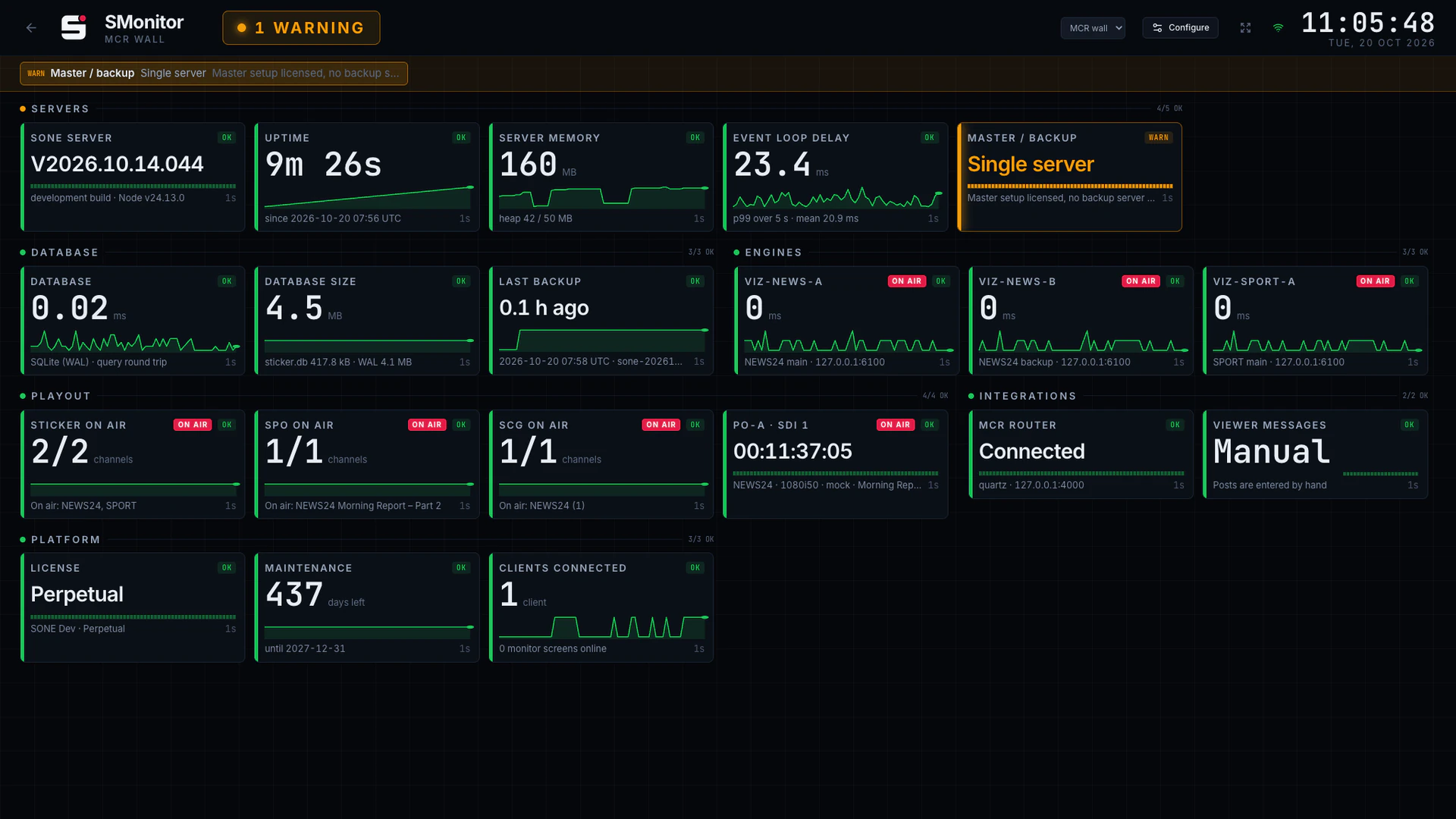
What SMonitor does
Built for engineers on the night shift.
- 01
Everything in one view
Every SONE server with its machine role, database and backup, Viz engines, ticker service, routers and integrations.
- 02
Video, playout and loudness
Video cards and their driver, every SPO playout output, and SAudio loudness tiles: out of range, limiter working hard, silence on air.
- 03
Check profiles
An MCR wall, an engineering wall, a compact view: choose checks, order and thresholds per profile.
- 04
Kiosk pairing
Pair a wall screen with a six-character code. No passwords on shared displays.
- 05
Your NMS, too
/api/health returns machine-readable status for Zabbix, PRTG and any other monitoring system. SNMP devices are next.
- 06
Included
No extra licence. Every SONE install has SMonitor from day one.
At a glance
SMonitor specifications
Part of the SONE platform: one Windows service, one web UI, one signed licence.
- Checks
- Servers and machine roles, database, engines, video cards and driver, ticker service, routers, playout outputs, loudness
- Screens
- Paired kiosks by 6-character code
- Integration
- /api/health for Zabbix, PRTG
- Profiles
- Checks, order and thresholds
- Licensing
- Included with every install
The SONE family
Works even better together.
STicker
Ticker & crawl
Newsroom → Ticker. iNEWS and agency wires feed it, editorial builds it, MCR airs it on your existing graphics engines.
Explore STicker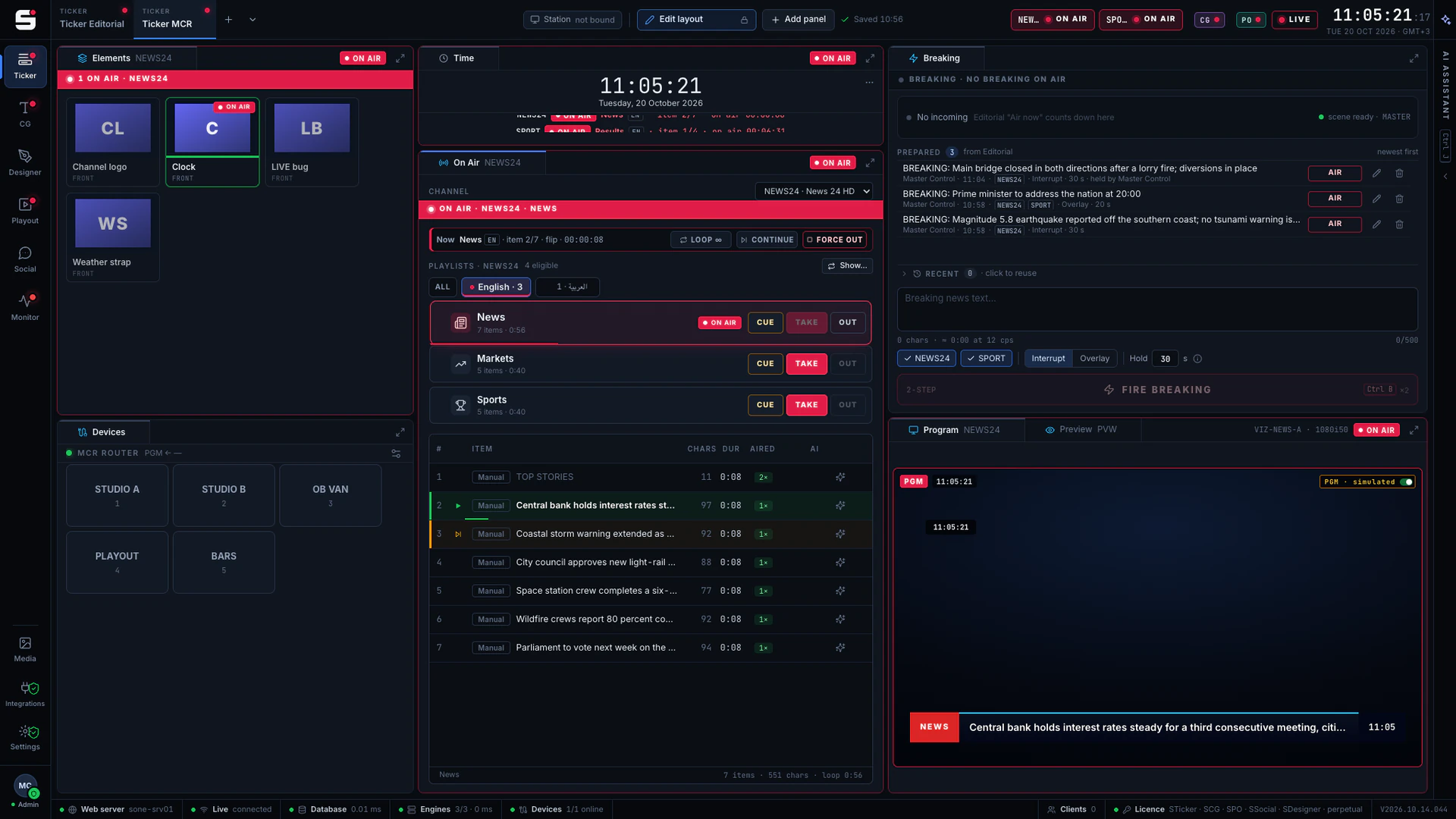
SCG
Character generator
SONE render engine or Viz Engine: layered graphics, versioned templates and the iNEWS newsroom rundown, keyed or burned into SPO.
Explore SCG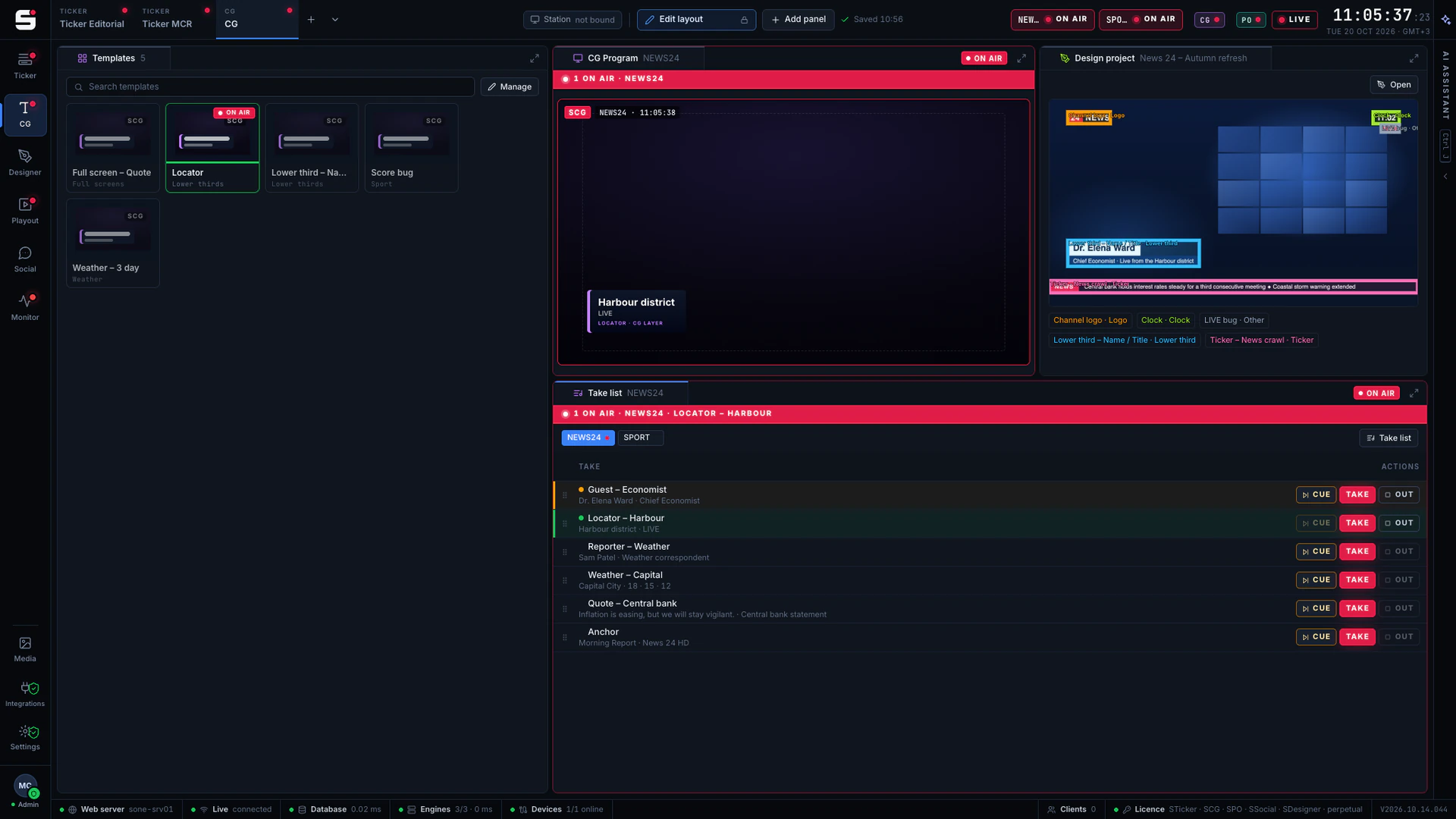
SDesigner
AI-assisted design
Turn a mockup or a screenshot into a layered project and publish it to SCG as a template. People approve; AI never airs.
Explore SDesigner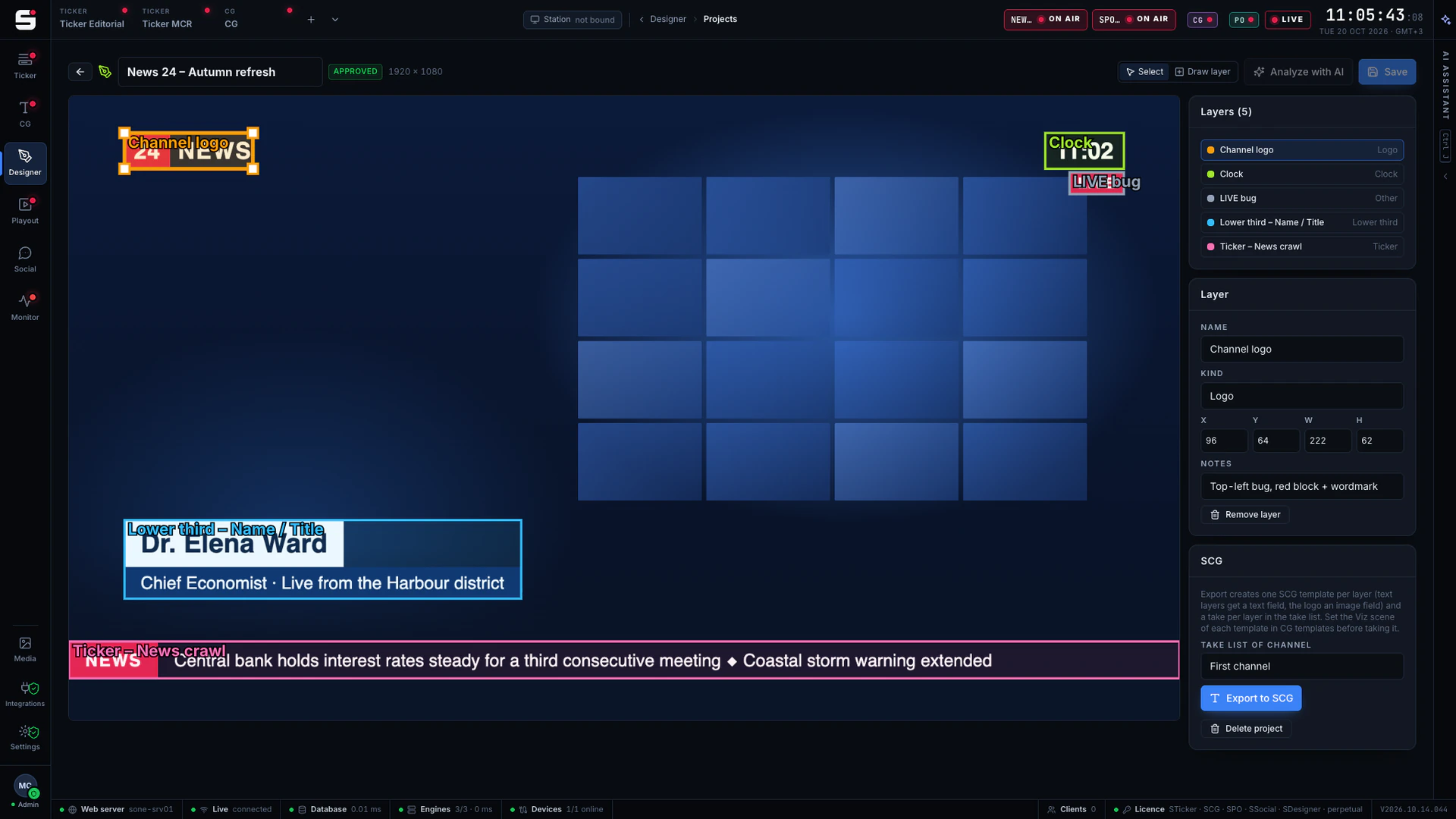
See SMonitor on your own engines.
Book a walkthrough with people who have run master control. We will show SONE with your scenes, your playout format and your newsroom feeds.