Playout that keeps time, and keeps you informed.
SPO is a real playout engine. It decodes clips and stills with ffmpeg, starts every event on the output’s own frame clock, burns SCG graphics into the picture and shows the result in any browser. STraffic publishes the day; master control runs it with CUE, TAKE and OUT.
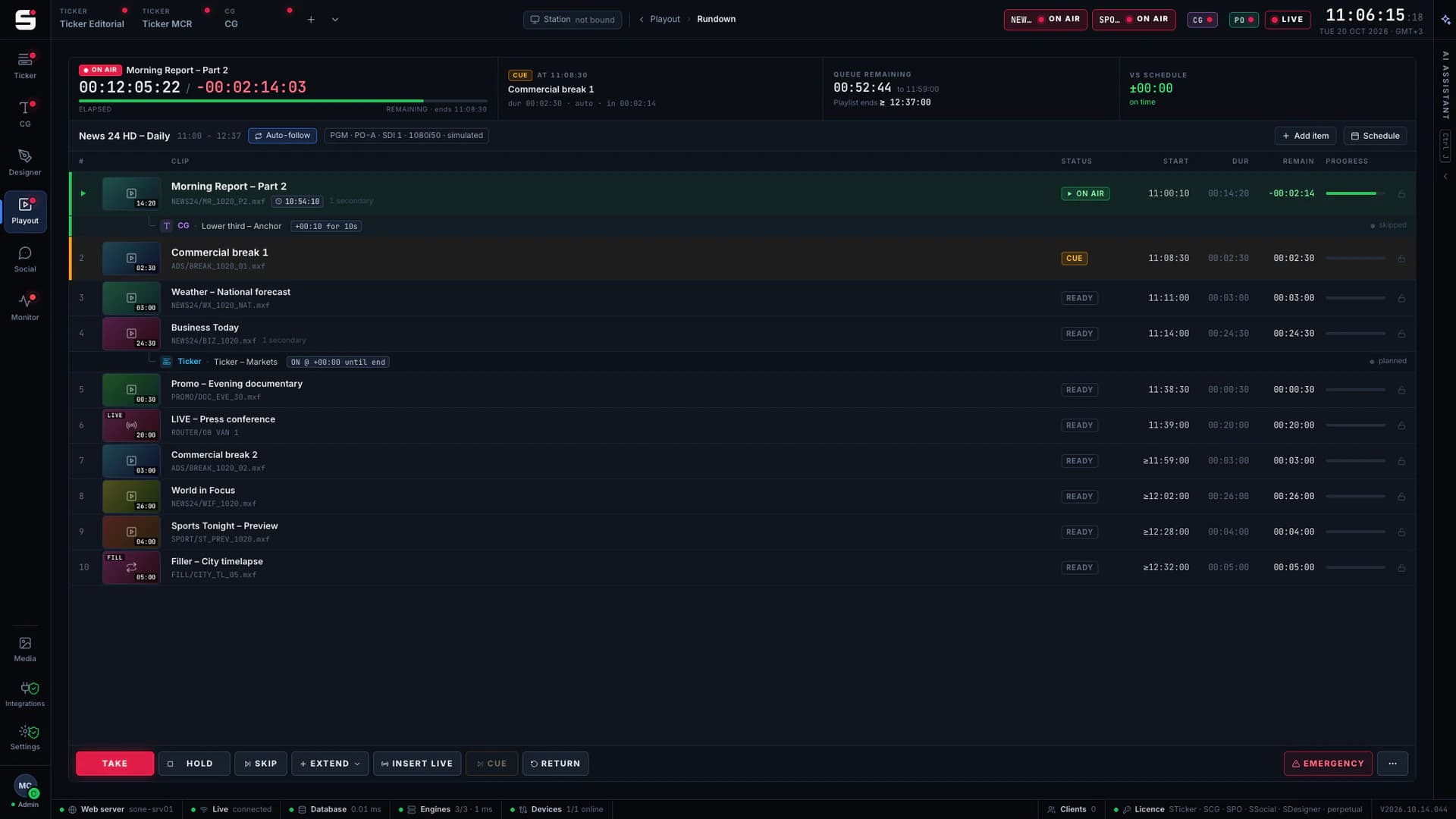
DeckLink support is in early access: the first DeckLink systems are being commissioned on customer workstations.
- STEP 01
Plan
STraffic builds and checks the day, then publishes it to SPO.
- STEP 02
Load
At the changeover SPO loads tomorrow’s schedule, confirmed or automatic.
- STEP 03
Play
The output’s frame clock starts every event: clips, live inputs, CG and audio.
- STEP 04
Prove
As-run and proof of play go back to STraffic.
What SPO does
Made for the people who run the channel.
- 01
A real playout engine
Clips and stills decoded with ffmpeg, plus built-in generators such as bars and tone, all on one rundown.
- 02
Timed by the output’s frame clock
The scheduler counts the output’s own frames: hard, soft and sequential starts, join in progress (JIP), loops and live inputs.
- 03
1080i50 and 1080p50
Embedded audio on 8 or 16 channels, with meters in the playout workspace.
- 04
CG burn-in with a watchdog
SCG graphics rendered into the output by the SONE engine, with a watchdog on the graphics path. Optional clean feed, or external fill & key.
- 05
Preview in any browser
An MJPEG preview of each output that opens in any browser, on any desk, with no plug-in.
- 06
Fed by STraffic
STraffic publishes the day as the SPO playlist. At the changeover SPO asks “Load tomorrow’s schedule?” and loads it by itself if nobody answers.
- 07
Video I/O settings
DeckLink and AJA cards, their driver, port roles and keying in Settings → Video I/O, with a test pattern and live input previews to check every port.
- 08
Checked by SMonitor
Every playout output gets its own tile on the SMonitor wall, next to the video cards and their driver.
- 09
Proof of play and as-run
Every primary and secondary event, planned against actual, with proof of play per advertiser back in STraffic.
Operator view
Every playout verb on one bar.
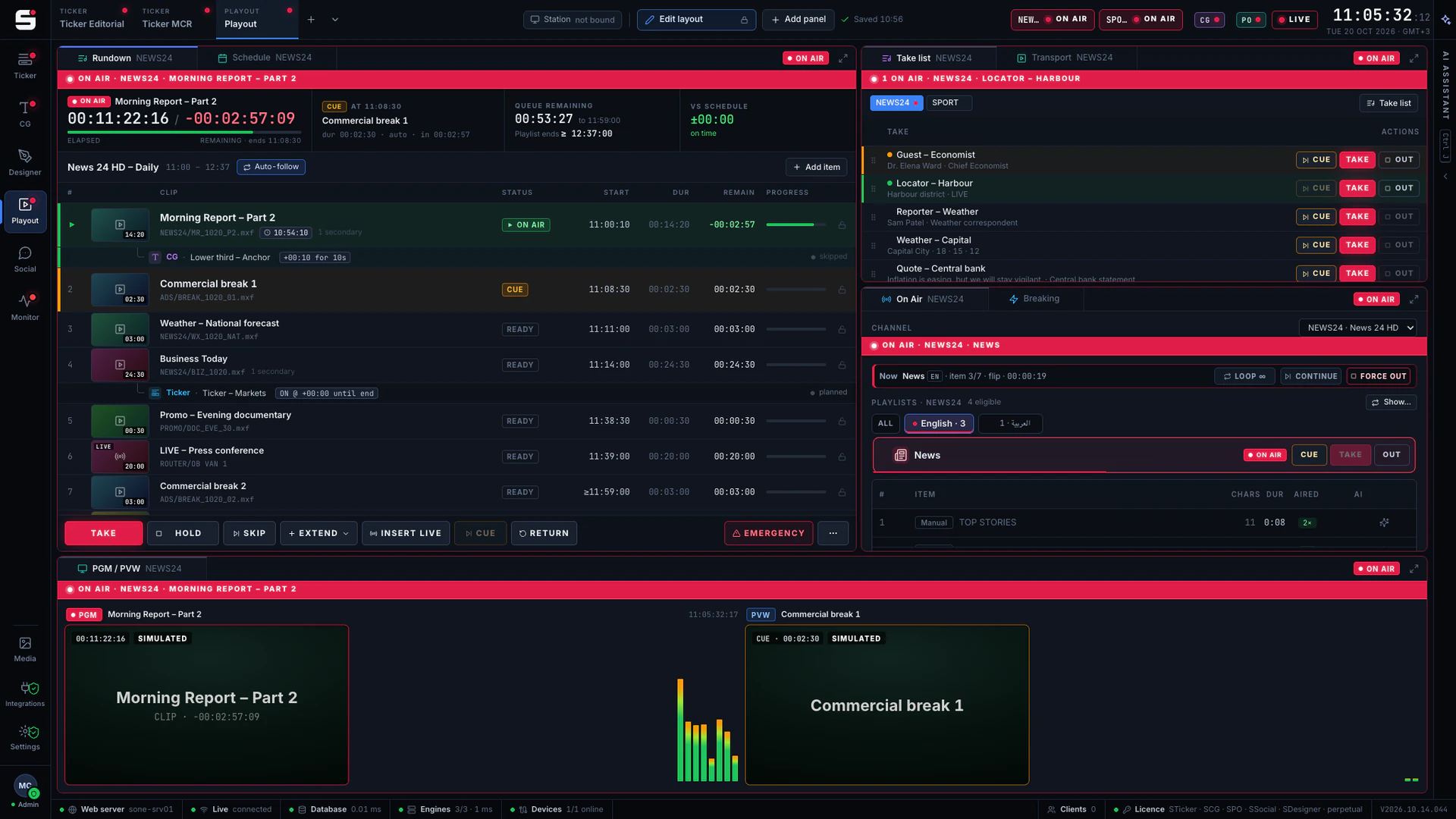
The transport bar sits above the rundown, next to PGM, PVW, the audio meters and the CG take list, so one operator can run a channel without switching windows.
- CUE, TAKE and OUT
- SKIP, HOLD and EXTEND
- LOOP and CONTINUE
- JIP and Play from here
- Freeze
With STraffic
Planned in STraffic, played in SPO.
Planners publish the day from STraffic and it becomes that date’s SPO playlist, revision by revision. At the changeover SPO shows a “Load tomorrow’s schedule?” card; if nobody answers, it loads the day by itself after the set number of minutes, without touching what is on air.
- Publishing creates or updates the day’s SPO playlist
- Every revision keeps its author and time
- “Load tomorrow’s schedule?” at the changeover
- As-run and proof of play back to STraffic
At a glance
SPO specifications
Part of the SONE platform: one Windows service, one web UI, one signed licence.
- Decode
- ffmpeg: clips, stills, generators, bars and tone
- Scheduling
- Output frame clock: hard, soft, sequential, JIP, loops, live inputs
- Formats
- 1080i50, 1080p50
- Audio
- 8 or 16 embedded channels, with meters
- Graphics
- SCG burn-in with watchdog, clean feed, external fill & key
- Video cards
- Blackmagic DeckLink, AJA, set up in Video I/O
- Preview
- MJPEG in any browser
- Traffic
- Day published from STraffic; as-run, proof of play
- Redundancy
- PO backup: hot standby on shared storage
- Licensing
- Per output
The SONE family
Works even better together.
STicker
Ticker & crawl
Newsroom → Ticker. iNEWS and agency wires feed it, editorial builds it, MCR airs it on your existing graphics engines.
Explore STicker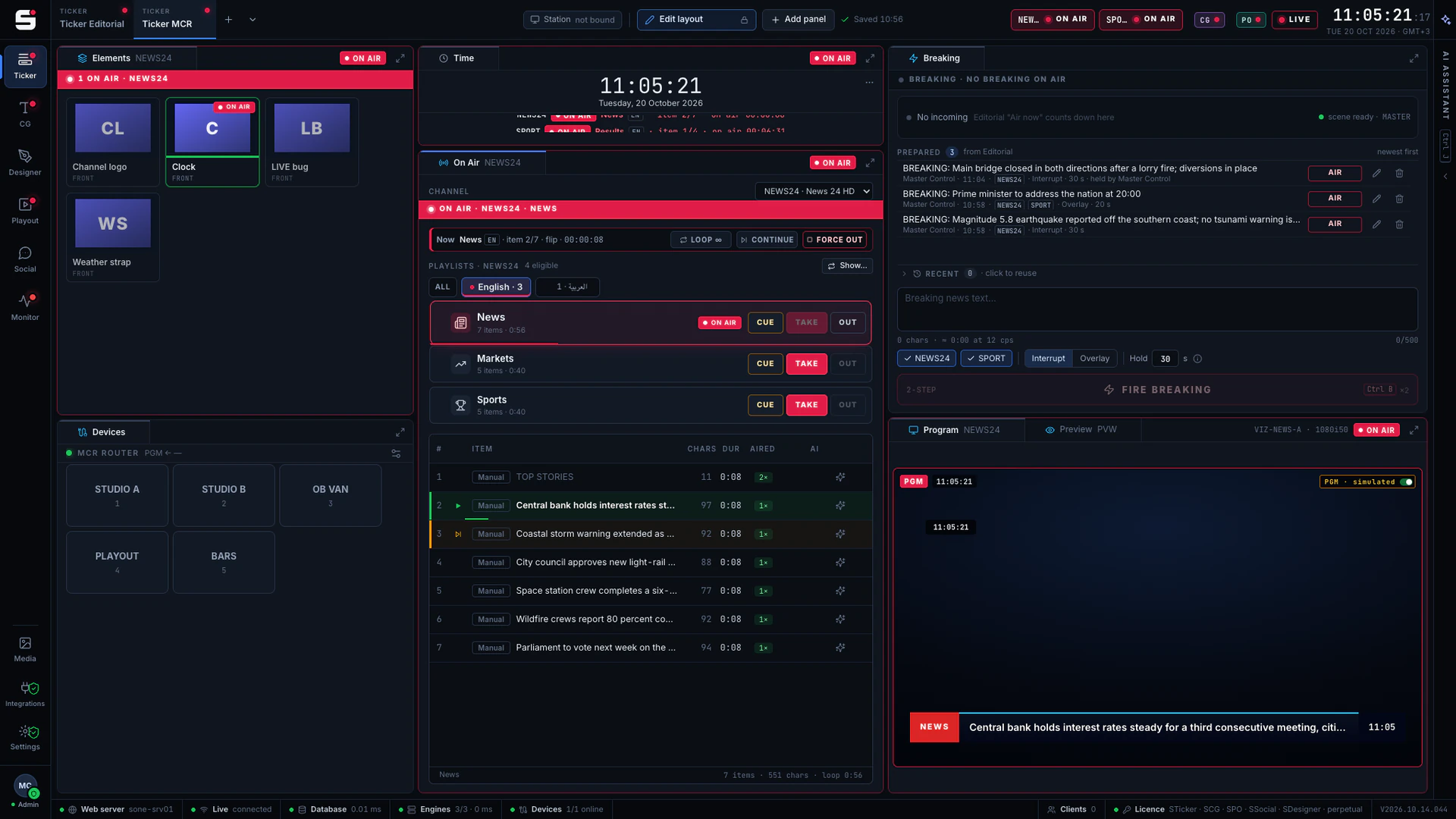
SCG
Character generator
SONE render engine or Viz Engine: layered graphics, versioned templates and the iNEWS newsroom rundown, keyed or burned into SPO.
Explore SCG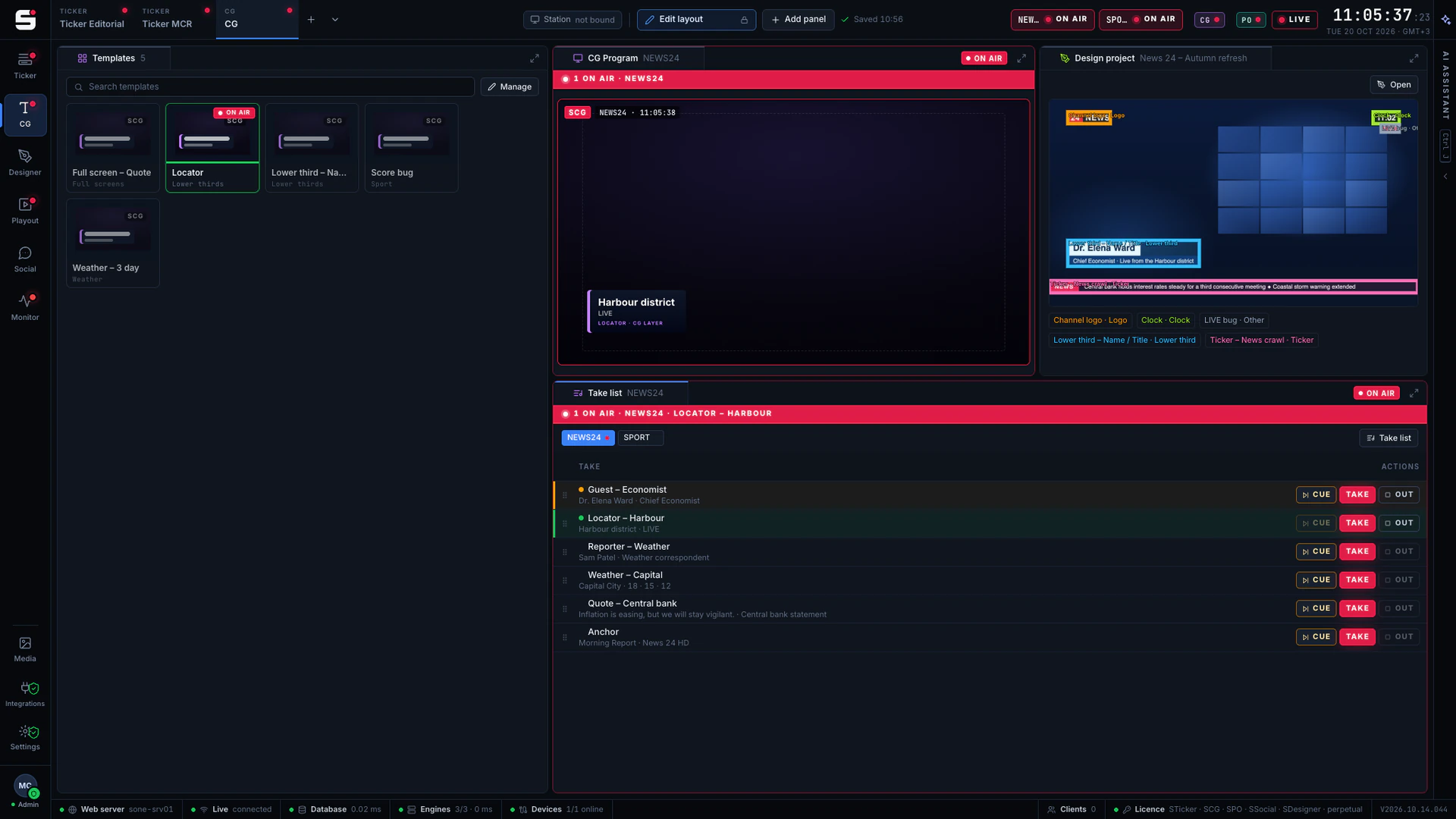
SDesigner
AI-assisted design
Turn a mockup or a screenshot into a layered project and publish it to SCG as a template. People approve; AI never airs.
Explore SDesigner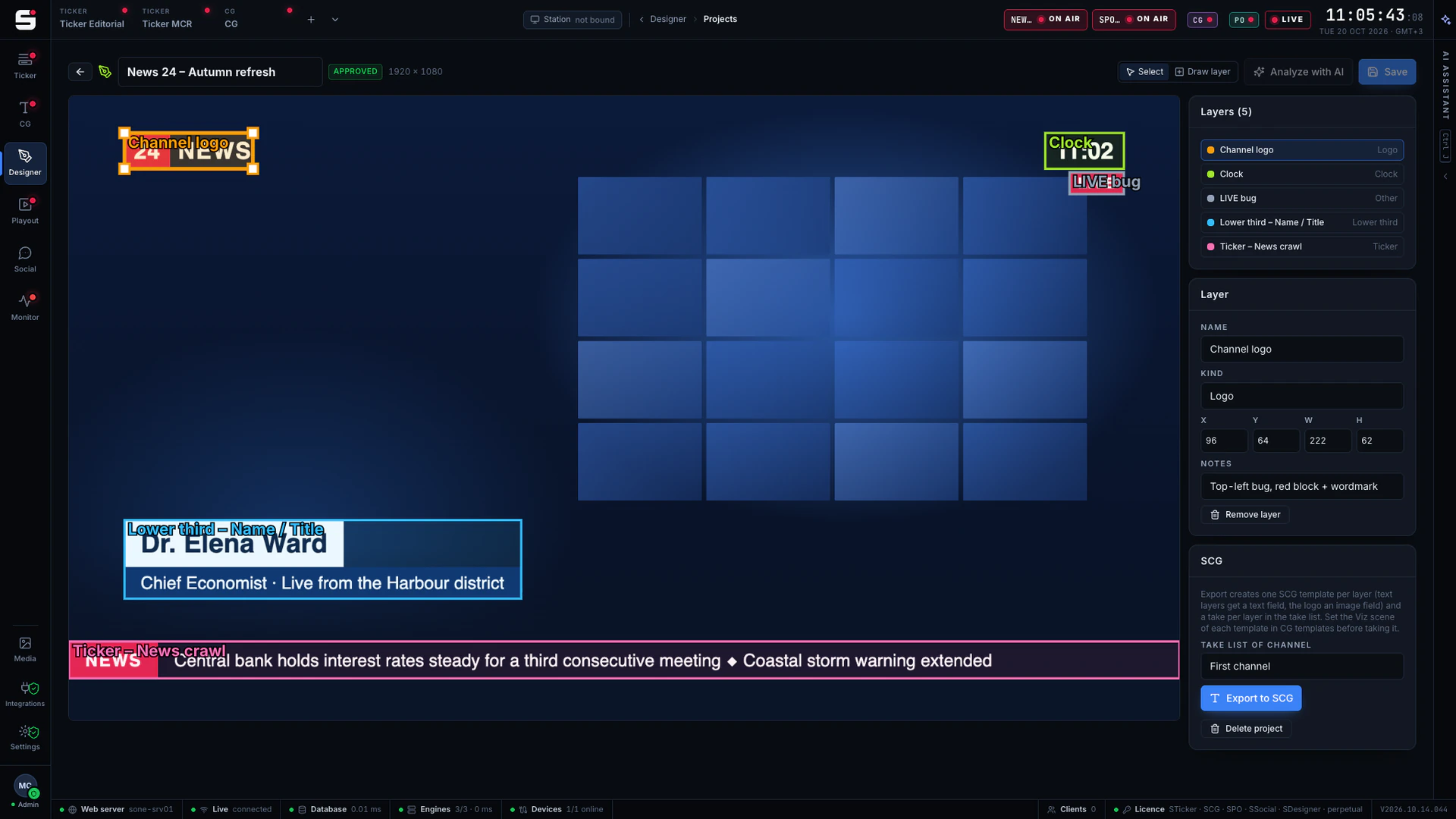
See SPO on your own engines.
Book a walkthrough with people who have run master control. We will show SONE with your scenes, your playout format and your newsroom feeds.